Both tools can translate manga. But neither was built for it. Here is an honest breakdown of how each one performs, and what manga readers are using instead.
If you have ever tried to read untranslated manga, you have probably reached for either Google Translate or DeepL at some point. They are the two most trusted translation tools out there, and both support Japanese, Korean, and Chinese. So which one is actually better for manga?
The short answer is that DeepL produces better quality translations in general. But when it comes to manga specifically, the comparison gets more complicated. Both tools have a fundamental limitation that has nothing to do with translation quality, and that limitation is the real reason manga readers keep looking for alternatives.
Let’s break it all down.
What DeepL Does Well
DeepL has a strong reputation for translation quality, and it is well deserved. Where Google Translate often produces stiff, word-for-word output, DeepL tends to produce more natural sounding sentences. It handles nuance better, picks up on context more reliably, and the result reads more like something a human actually wrote.
For manga dialogue specifically, this matters. Characters have distinct voices. A villain speaks differently from a hero. A serious moment reads differently from a comedic one. DeepL is noticeably better at preserving those differences compared to Google Translate.
DeepL also has an image translation feature available on its mobile app and desktop application. You can upload an image and it will attempt to detect and translate the text inside it. In theory, this should work for manga panels.
What Google Translate Does Well
Google Translate has a wider language range and is completely free with no usage limits on the basic tier. Its camera and image translation feature is available on mobile, easy to use, and works reasonably well on clean, clearly printed text.
For manga, the main advantage of Google Translate is that it is familiar and accessible. Most people already have it installed. There is no signup required and no cost involved. If you just want to quickly check what a single panel says, it gets the job done.
The Problem Both Tools Share: They Were Not Built for Manga
Here is where both tools run into the same wall. DeepL and Google Translate are general purpose translation tools. They were designed to translate documents, web pages, and typed text. Manga is none of those things.
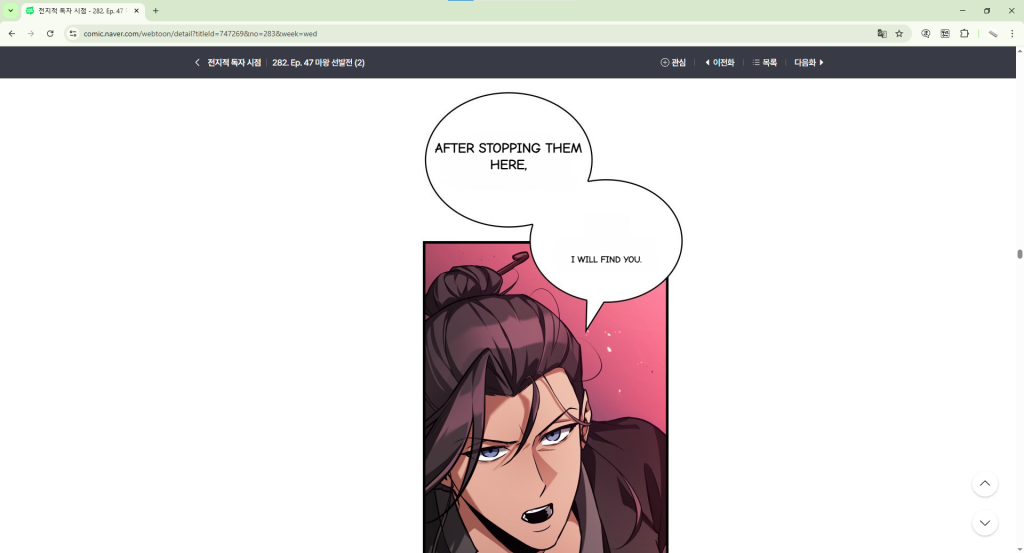
Manga text lives inside image files. It curves and tilts inside speech bubbles. It uses stylized, handwritten-style fonts that are nothing like standard printed text. Sound effects are scattered across panels in large decorative lettering. And the reading experience is meant to flow continuously, panel to panel, page to page.
Neither DeepL nor Google Translate can handle this natively. To use either tool for manga, you have to do the following for every single panel:
- Take a screenshot of the panel
- Open the translation tool
- Upload or paste the screenshot
- Read the output
- Repeat for every other panel on the page
A typical manhwa chapter has 60 to 80 panels. Doing this manually for each one completely destroys the reading experience. You spend more time managing the translation process than actually reading the story.
DeepL may produce a more natural translation than Google Translate, but if you have to screenshot and upload 70 panels to read one chapter, the quality advantage barely matters.
Where DeepL Specifically Falls Short With Manga
Image translation is not always available
DeepL’s image translation feature is only available on certain plans and platforms. The free web version at deepl.com does not support image uploads for translation. You need the desktop app or a paid plan to access it. This is a meaningful barrier for casual readers who just want to read a chapter.
Stylized manga fonts cause OCR errors
Both DeepL and Google Translate use OCR to read text from images, but neither is trained specifically on manga fonts. Manga uses a wide variety of stylized, curved, and handwritten-style lettering that general OCR engines misread regularly. The result is garbled output that makes the translation unusable even when the underlying translation engine is good.
No context across panels
When you translate one panel at a time, the tool has no idea what happened in the panels before it. Manga dialogue often depends heavily on context. A line that makes perfect sense in context can come out as confusing nonsense when translated in isolation. This is a structural problem that no amount of translation quality can fix if you are doing it panel by panel.
What Manga Readers Actually Need
The issue with using DeepL or Google Translate for manga is not really about which tool translates better. It is about workflow. Manga readers need a tool that works the way manga is read: continuously, page by page, without interruption.
That means the translation needs to happen on the page itself, automatically, as you scroll. It needs OCR that is trained specifically on manga-style text. And it needs to handle full chapters, not just individual panels.
How Fakey Solves This
Fakey is a manga translator built specifically for this workflow. It works as a browser extension on Chrome and Firefox, and as an app on Android and iOS. When you open a manga or manhwa chapter and activate Fakey, it scans every panel on the page automatically, detects the text inside speech bubbles, and overlays the translation directly onto the page as you read.
No screenshots. No uploading. No switching between apps. You open the chapter, turn on Fakey, and read. The entire page is translated in one go, and every page after it is handled the same way as you scroll down.
Translated pages are cached too. If you come back to a chapter you have already read, it loads the translation instantly without using any credits.
So Which Is Better: DeepL or Google Translate for Manga?
If you have to pick between the two for a one-off panel translation, DeepL gives you better output quality. The sentences read more naturally and the nuance comes through better.
But for actually reading manga chapter by chapter, neither tool is a good fit. Both require the same tedious panel-by-panel screenshot workflow that makes reading raw manga feel like a chore.
The better question is not which general translation tool works better for manga. The better question is why use a general translation tool for manga at all, when tools built specifically for this exist.
Try a Tool That Was Actually Built for Manga
Fakey is free to get started. The free plan gives you 200 credits per month, and if you read more heavily, the premium plan gives you unlimited translations. Install it on Chrome, Firefox, Android, or iOS and try it on the next chapter of whatever series you are following.
Once you read a full chapter without touching a screenshot tool, you will not go back to DeepL or Google Translate for manga again.
Fakey is available on Google Play, Apple App Store, Chrome Web Store, and Firefox Add-Ons. Developed by Pawaka Labs.
Join our support channels to get the latest news.