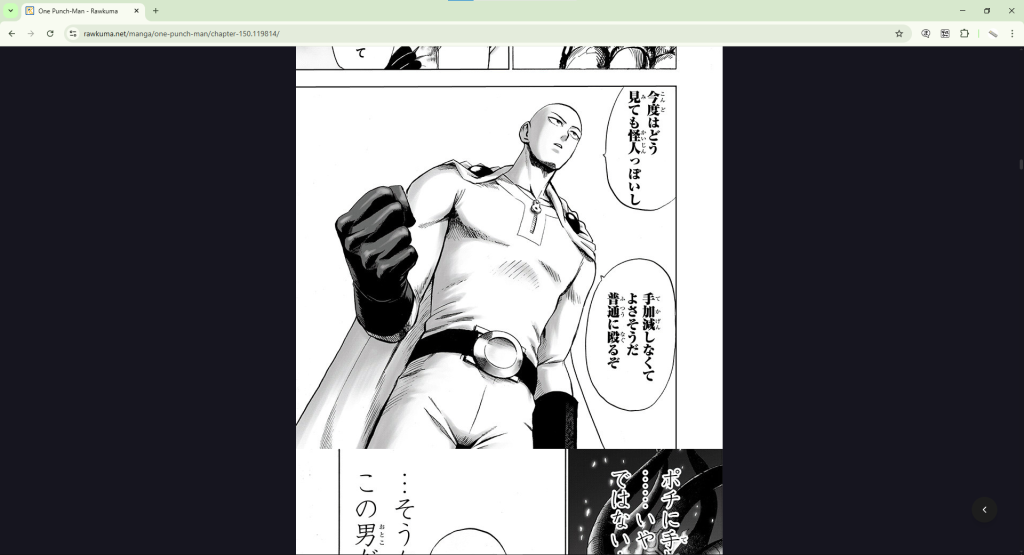
From Google Translate to dedicated AI tools, we tested everything manga readers actually use. Here is what actually works in 2026.
You are three arcs deep into a manga series. The official translation just went on hiatus. The raw chapters are out, ready to read, in a language you do not know. So you reach for the nearest translation tool and hope for the best.
Most manga readers have been through this. And most have tried Google Translate, DeepL, ChatGPT, or Papago at some point to get through untranslated chapters. These are excellent tools in general. But manga is not a general use case.
We tested six of the most popular translation tools against real manga chapters to see how they actually perform. Here is the honest breakdown.
How We Evaluated Each Tool
We scored each tool on five criteria that matter specifically to manga readers:
- Reading experience: Does it work on the page while you scroll, or do you screenshot and upload panel by panel?
- Translation quality: Is the output natural enough to follow the story?
- Manga-specific OCR: Can it read curved, stylized manga fonts accurately?
- Platform availability: Desktop, mobile, or both?
- Cost: What do you actually get for free?
Quick Comparison Table
Here is the at-a-glance summary before the full reviews.
| Tool | Reading Experience | Manga OCR | Platforms | Free Plan |
| Fakey | On-page, real-time | Built for manga | Chrome, Firefox, Android, iOS | 200 credits/month |
| Google Translate | Manual screenshots | General OCR | All platforms | Unlimited (manual) |
| DeepL | Manual screenshots | Limited, paid only | Web, Desktop | Text only |
| ChatGPT Vision | Manual uploads | Good but slow | Web, Mobile | Limited free tier |
| Papago | Manual screenshots | Basic | Mobile, limited web | Free (ad-supported) |
| Microsoft Translator | Manual screenshots | Basic | All platforms | Free |
1. Fakey – Best Overall for Reading Manga in 2026
4.8 out of 5 on Chrome Web Store (270 ratings) | 10,000+ users | Free plan available
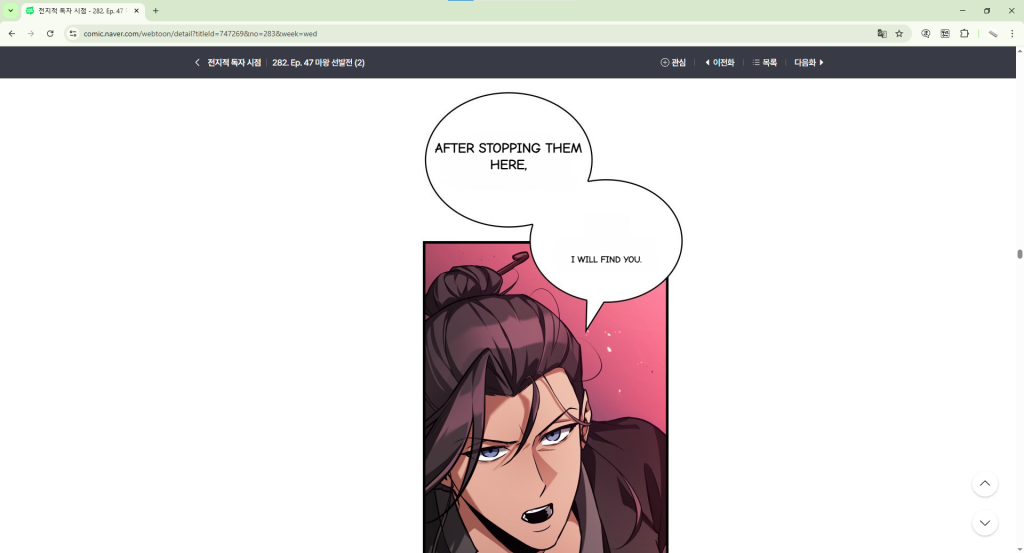
Fakey is the only tool on this list built specifically for manga. Developed by Pawaka Labs, it works as a browser extension on Chrome and Firefox and as a native app on Android and iOS. You open a manga chapter, activate Fakey, and the translation appears directly inside the speech bubbles as you scroll. No screenshots, no tab switching, no manual uploads.
It uses OCR trained on manga-style fonts, which means it handles curved text inside speech bubbles, stylized lettering, and handwritten-style fonts far better than general purpose OCR engines. The translation overlays right on top of the original text so the artwork stays intact and the reading experience feels natural.
With 4.8 stars from 270 Chrome Web Store ratings and over 10,000 active users, Fakey has the strongest user satisfaction score of any tool in this comparison. The free plan gives you 200 credits per month, resetting on the 1st of each month. For heavier readers, Fakey Premium provides unlimited translations.
What we liked:
- Translates directly on the page as you scroll, zero interruption to reading
- OCR built specifically for manga fonts handles stylized text well
- Available on Chrome, Firefox, Android, and iOS
- Cached translations mean re-reading chapters never uses credits
- Frequently updated with new site support
2. Google Translate – Best Free Option for Occasional Panels
Free | Available on all platforms | No signup required
Google Translate is the tool most manga readers try first. It supports over 130 languages, works everywhere, and costs nothing. The camera and image upload features let you photograph or screenshot a manga panel and get a translation back in seconds.
The limitation is workflow. Google Translate’s page translation feature does not work on image-based manga text since speech bubbles are embedded inside images, not HTML text. That means you have to screenshot and upload every single panel manually. For a chapter with 60 to 80 panels, that process can take 20 to 30 minutes.
For a quick check on a single panel it works fine. For reading through full chapters of an ongoing series it is not practical. We covered the exact steps and limitations in our guide How to Translate Manga With Google Translate.
- Completely free with no limits
- Works on every platform with no installation needed
- Panel-by-panel screenshotting makes full chapter reading very slow
3. DeepL – Best Translation Quality, Most Tedious Workflow
Free tier available (text only) | Paid plan from $10.49/month | Web and Desktop
DeepL consistently produces the most natural sounding translations of any tool here. Dialogue feels human, character voices come through more distinctly, and nuance is preserved better than Google Translate. If you could isolate translation quality from everything else, DeepL wins.
But you cannot isolate it from everything else. DeepL has no image translation on its free web version. Paid plans do support document and image translation, but even then the process is the same panel-by-panel manual workflow as Google Translate. The excellent translation output does not help much when the workflow makes reading a full chapter exhausting.
We compared DeepL and Google Translate head to head for manga in our post DeepL vs Google Translate for Manga: Which One Actually Works Better?
- Best raw translation quality for natural, readable dialogue
- No image translation on free web version
- Same slow manual workflow as Google Translate even on paid plans
4. ChatGPT Vision – Impressive Quality, Impractical for Full Chapters
$20/month for ChatGPT Plus | Web and mobile | Limited free usage
ChatGPT’s vision capabilities are genuinely impressive for manga translation. You upload a panel image and ask it to translate the text, and it does so with strong context understanding. It handles cultural references, wordplay, and ambiguous dialogue better than any other tool here because it can reason about what it sees rather than just pattern-matching text.
The problem is speed and workflow. You upload one image at a time, wait for the response, then move to the next. For a chapter with 70 panels that is 70 separate uploads and responses. At $20 per month it is also the most expensive option here, and the free tier limits how many images you can process.
- Excellent translation quality with strong context understanding
- Handles cultural nuance and wordplay better than other tools
- One image upload at a time makes full chapter reading very slow
- Most expensive option at $20 per month
5. Papago – Good for Korean, Limited for Manga
Free | Mobile app available | Developed by Naver
Papago is developed by Naver, the Korean tech company that also runs Naver Webtoon. Its Korean to English translation quality is among the best available for Asian language pairs, which makes sense given the source. For manga specifically, the underlying translation engine performs well.
The limitation is the same as the other general tools. Papago’s image translation feature requires manual screenshots and does not work as an on-page overlay. You are still doing the same repetitive process for each panel, and the mobile app experience for reading through full chapters is clunky.
- Strong Korean translation quality, especially for manga dialogue
- Completely free with no usage limits
- Manual screenshot workflow, no on-page manga translation
6. Microsoft Translator – Free but Basic for Manga Use
Free | Available on all platforms | Integrates with Microsoft products
Microsoft Translator is a solid general translation tool that works across all platforms and costs nothing. It supports image translation via the mobile app and has decent accuracy across major language pairs. For manga, it faces the same fundamental problem as every other general tool: it requires manual screenshotting and does not translate on the page.
It works better than most people expect for Japanese and Korean text, but without an on-page translation workflow it is not a practical option for reading full chapters.
- Completely free with solid language coverage
- Available on all platforms including mobile
- No on-page translation, same manual workflow limitations as other general tools
The Bottom Line
Every general purpose tool on this list shares the same core problem for manga: they were not built for it. Google Translate, DeepL, ChatGPT, Papago, and Microsoft Translator all require you to screenshot and upload panels manually, one at a time. For a single panel that is fine. For reading through full chapters of a series you follow, it turns reading into a chore.
Fakey solves this at the root. It is built specifically for manga, translates directly on the page as you scroll, and works across all four major platforms. With 4.8 stars from 270 Chrome Web Store ratings and over 10,000 active users, it is the tool readers actually stick with.
If you have been making do with a general translation tool for manga, try Fakey on your next chapter. The difference is immediate.
Frequently Asked Questions
What is the best free tool to translate manga?
Fakey offers the best free experience with 200 credits per month on its free plan, resetting every month. Google Translate and Microsoft Translator are free with no limits but require manual screenshotting for each panel, making them slow for full chapter reading.
Can I use Google Translate for manga?
Yes, but only panel by panel. Google Translate’s page translation does not work on image-based manga text. You need to screenshot each panel and upload it manually. For one or two panels this is fine. For a full chapter it is very slow. We wrote a full guide on exactly how to do it in our post How to Translate Manga With Google Translate.
Which tool is best for manga specifically?
Fakey is the most practical option for reading full manga chapters with real-time on-page translation. Papago has strong Asian language translation quality but requires manual screenshots. For a full guide on reading raw manga, check out our post How to Read Manga Without Knowing Japanese.
Is DeepL better than Google Translate for manga?
DeepL produces more natural sounding translations, but both tools require the same manual screenshot workflow for manga. For full chapter reading, neither is practical compared to a purpose-built tool. We compared both in detail in our post DeepL vs Google Translate for Manga: Which One Actually Works Better?
Does any tool translate manga on mobile?
Yes. Fakey is available on both Android and iOS and provides the same on-page real-time translation experience on mobile as on desktop. Google Translate, Papago, and Microsoft Translator also have mobile apps but all require manual screenshots.
Ready to Read Without the Language Barrier?
Fakey is free to install and takes under a minute to set up. Get it on Chrome, Firefox, Android, or iOS and read the next chapter of your series today.
10,000+ readers are already using it. Join them.
Fakey is available on Google Play, Apple App Store, Chrome Web Store, and Firefox Add-Ons. Developed by Pawaka Labs.
Join our support channels to get the latest news.