Stop doing it manually. There is a much faster way.
You have a Google Form that needs to be submitted more than once. Maybe you are running a survey and struggling to collect enough responses. Maybe you are a developer who needs to stress test a form before deploying it. Maybe you are a researcher generating dummy data for a study. Whatever the reason, doing it manually, one tab, one submission, one click at a time, gets old fast.
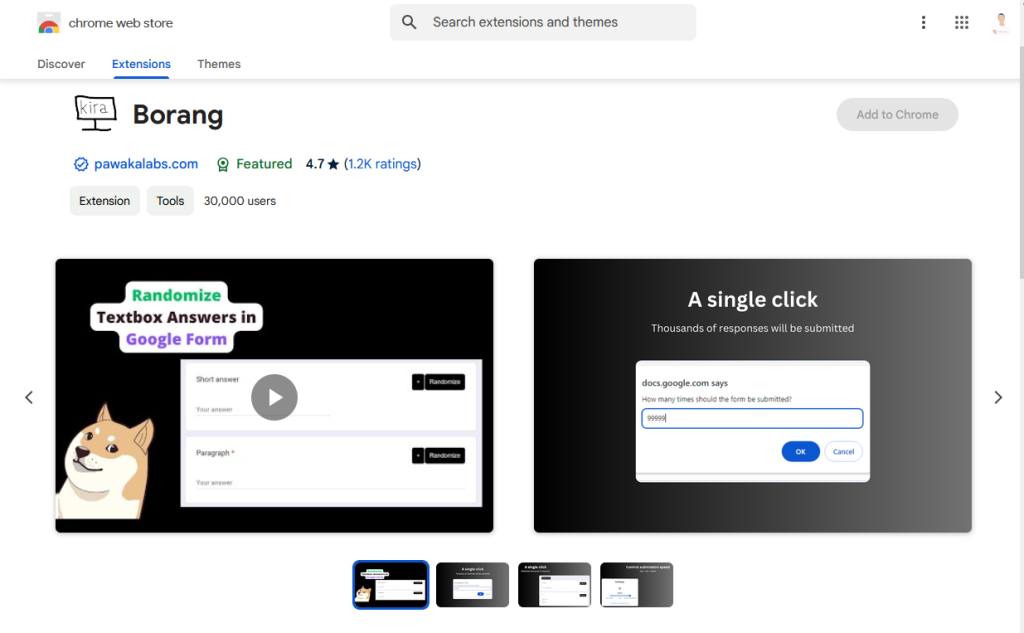
The straightforward fix is Borang, a Chrome extension built specifically for submitting Google Forms multiple times without the repetitive work. It has over 30,000 active users and sits at 4.7 out of 5 stars across more than 1,200 ratings on the Chrome Web Store. People use it for surveys, data collection, QA testing, and a handful of other legitimate use cases where submitting once simply is not enough.
Here is how it works and what you can do with it.
Step One: Install Borang
Head over to the Chrome Web Store and search for Borang, or go directly to the Borang listing page. Click “Add to Chrome” and confirm the installation. The whole thing takes about thirty seconds. Once it is installed, you will see the Borang icon sitting in your Chrome toolbar, ready to go whenever you need it.
How to Submit a Google Form Multiple Times
Once Borang is installed, the process is about as simple as it gets:
- Open the Google Form you want to submit.
- Fill in your answers the way you normally would.
- Click the “Submit” button.
- Type in the number of submissions you want.
- Hit ok and let Borang run.
That is the whole flow on the free plan. No complicated setup, no scripts to write, nothing to configure beyond the submission count. If you just need to submit a form a set number of times with the same answers, the free plan handles it without any fuss.
Who Actually Uses This
The most common crowd is students. If you have ever had to collect a minimum number of survey responses for a university assignment and found yourself short, you already know the panic. Borang removes that problem entirely.
Beyond students, researchers use it to populate datasets with dummy entries before real respondents come in. QA engineers use it to test whether a form backend can handle volume without breaking. Data science teams use it when they need a baseline dataset to work with before actual data collection begins.
The common thread is that all of these people have a legitimate reason to submit a form more than once, and none of them want to spend hours doing it by hand.
What Borang Premium Adds
The free plan works well for basic use. Borang Premium is for when you need more precision or larger scale:
- Unlimited submissions with no cap on how many times you can submit
- Submission speed control so you can pace how fast responses go through
- Randomizer that varies answers across submissions instead of repeating the same ones
- Submit forms that require a Google sign-in
- Import answers from a CSV file so each submission can pull from a prepared list
- AI data generator that creates realistic response data for you automatically
- Scheduler that lets you set submissions to run at a specific time
The randomizer and CSV import are particularly useful if you need your data to look natural rather than identical across every entry. For researchers and data science work, those two features alone make the upgrade worth considering.
Bottom Line
Borang does one thing and does it well. If you need to submit a Google Form multiple times without sitting there clicking through it manually over and over, this extension solves the problem in the time it takes to install it.
It is free to get started. The premium features are there if you need them, but a large chunk of the 30,000 people using it right now are getting what they need from the free plan alone.
Install Borang from the Chrome Web Store and give it a try.
Read more on Pawaka Blog