




Madomi is a full manga reader with real-time AI translation built in. Read your own files (CBZ, ZIP, PDF and images), connect a self-hosted Komga library, or add online sources through Mihon / Tachiyomi-compatible extensions, and Madomi translates every page as you scroll. Manga, manhwa, manhua and webtoons, from Japanese, Korean, Chinese and many more languages.
On mobile you get a proper reader: five reading modes, single or double pages, continuous chapter-to-chapter scrolling, offline downloads, categories, tracking with MyAnimeList, AniList, Kitsu and four more services, reading statistics, push alerts when a followed manga gets a new chapter, and Mihon backup import. In the browser, the Chrome and Firefox extension translates manga sites in place, or you can drag a box over any panel on any page.
The reader itself is free. Paid plans add unlimited and faster translation, and the one-time Madomi Reader purchase unlocks trackers, sync, unlimited downloads and custom themes.
Madomi is the new name for Fakey: 窓 (mado, “window”) and 見 (mi, “see”), a clear window onto manga in any language. Your subscription, credits and login carried over. Some store listings may still show the old name; it's the same app. Read more in the rebrand announcement.
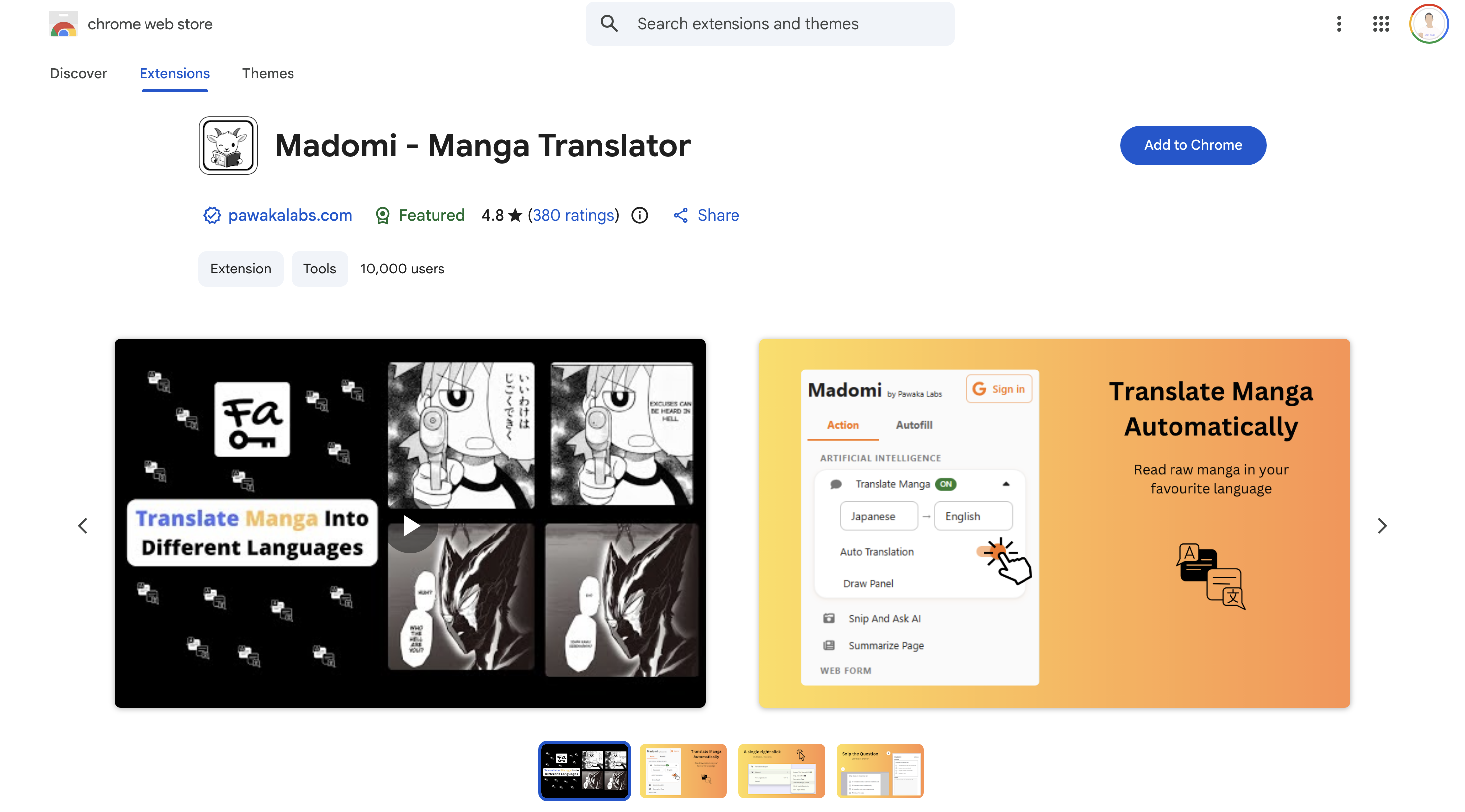
Demos
Features
Manga Reader (Android & iOS)
- Five reading modes: left-to-right, right-to-left, vertical paged, webtoon (continuous) and continuous-with-gaps
- Single or double-page (side-by-side) layout, with an option to switch to double automatically in landscape
- Smooth pinch zoom, double-tap zoom and hands-free auto scroll
- Page curl animation that turns pages like paper in the left-to-right and right-to-left modes
- Continuous chapter-to-chapter scrolling: the next chapter loads as you read, in both directions
- Screen-orientation lock, immersive full-screen mode and a floating page indicator
- Light, dark and pure-black (AMOLED) themes with your own accent colour and comic-style fonts
- Long-press any page to save it, share it, or set it as the manga cover
- App interface available in 26 languages
Your Own Library
- Import and read CBZ, ZIP, PDF, JPG, PNG, WebP and HEIC files
- Import a whole folder at once, and each archive or subfolder becomes a chapter
- Send files straight to Madomi from any app with the share sheet or “Open in…”
- Organise with categories, plus filter, sort and display options for every list
- Bookmark chapters, and filter, sort and display every chapter list your way
- Reading progress and history tracked automatically
Online Sources & Downloads
- Add online sources through Mihon / Tachiyomi-compatible extensions
- Connect your own self-hosted Komga server
- Global search across every installed source at once
- Download chapters for offline reading, with a queue you can reorder and pause
- Delete downloaded chapters automatically once you have read them
- Move a manga to another source, one at a time or in bulk, keeping your history and tracking
- Automatic checks for new chapters, with an Updates feed
- “Similar manga” recommendations powered by AniList and MyAnimeList
AI Translation
- Instant AI translation drawn straight onto the page, and the original art stays intact
- Manga, manhwa, manhua and webtoons: Japanese, Korean, Chinese and many more languages
- Translates automatically while you read, with no copy-paste or app switching
- Per-manga glossary pins character names, nicknames and genders so the AI keeps them consistent
- Optional on-device translation for faster results
- Bulk and background translation: queue whole chapters and keep reading
Browser Extension (Chrome & Firefox)
- Automatic in-place translation on popular manga sites
- Drag a box over any panel on any website to translate just that area
- Summarise any article or YouTube video in one click
- Answer Google Forms questions with AI, including snipped images
- Fill any web form with realistic test data, and save or restore your inputs
Chapter Alerts & Reading Stats
- Push notifications the moment a manga you follow gets a new chapter
- Follow up to 50 series, picked by title so the alerts always match the right manga
- Reading statistics: time read, chapters read, titles started and completed, and your most-read manga
- A “read for” time on every manga, plus a full reading history across your devices
Track, Back Up & Sync
- Sync progress to seven trackers as you read: MyAnimeList, AniList, Kitsu, MangaUpdates, Shikimori, Bangumi and MangaBaka, and pull changes you made on their sites back into the app
- Import an existing Mihon / Tachiyomi
.tachibkor Tachimanga.tmbbackup - Export your own backups, automatically on a schedule you choose
- Cross-device library sync tied to your Madomi account
Pricing
Free
The whole reader, at no cost
- The full manga reader: every reading mode, light, dark and pure-black themes
- Import your own CBZ, ZIP, PDF and image files
- Online sources, Komga, global search and downloads
- Real-time manga translation
- Reading statistics, history and progress tracking
- Summarise websites or YouTube videos
- Answer Google Forms questions with AI
- Generate fake data for any web form
- 100 free AI credits / month
Madomi Reader
One-time in-app purchase on Android & iOS, yours forever
- Trackers: MyAnimeList, AniList, Kitsu, MangaUpdates, Shikimori, Bangumi and MangaBaka
- Cross-device library sync
- Unlimited chapter downloads
- Chapter release alerts
- Auto scroll (hands-free reading)
- Read-ahead download & translate
- Double-page reading
- Page curl animation
- Custom manga covers
- Delete chapters after reading
- Saved search filter presets
- Custom themes & pure-black mode
- No watermark on saved or shared original pages
- No ads
Premium
For translating while you read
- UNLIMITED* translation
- Fast translation
- Better translation quality
- No watermark on saved or shared original pages
- No ads (Mobile)
Premium Plus
Everything, including all Madomi Reader features
- UNLIMITED* translation
- Fastest translation
- Best translation quality
- Bulk translation (Mobile)
- Background translation (Mobile)
- All Madomi Reader features (Mobile)
- Priority access to new features
- No watermark on saved or shared original pages
- No ads (Mobile)
* Fair-usage policy of 20,000 unrestricted credits per month. Beyond that, requests are throttled. Madomi Reader is sold only inside the Android and iOS apps as a one-time in-app purchase, so it has no price or checkout here — open Madomi on your phone to buy it. It is also included with Premium Plus.
FAQ
What is Madomi?
What file formats can Madomi read?
Is the manga reader free?
Can I read manga offline?
Does Madomi support Mihon / Tachiyomi extensions and backups?
.tachibk backups as well as Tachimanga .tmb backups, so your library, categories, reading progress and tracking come across. Madomi can export its own backups too, automatically on a schedule.