
Manga Reader Apps That Sync With AniList and MyAnimeList (iOS and Android)
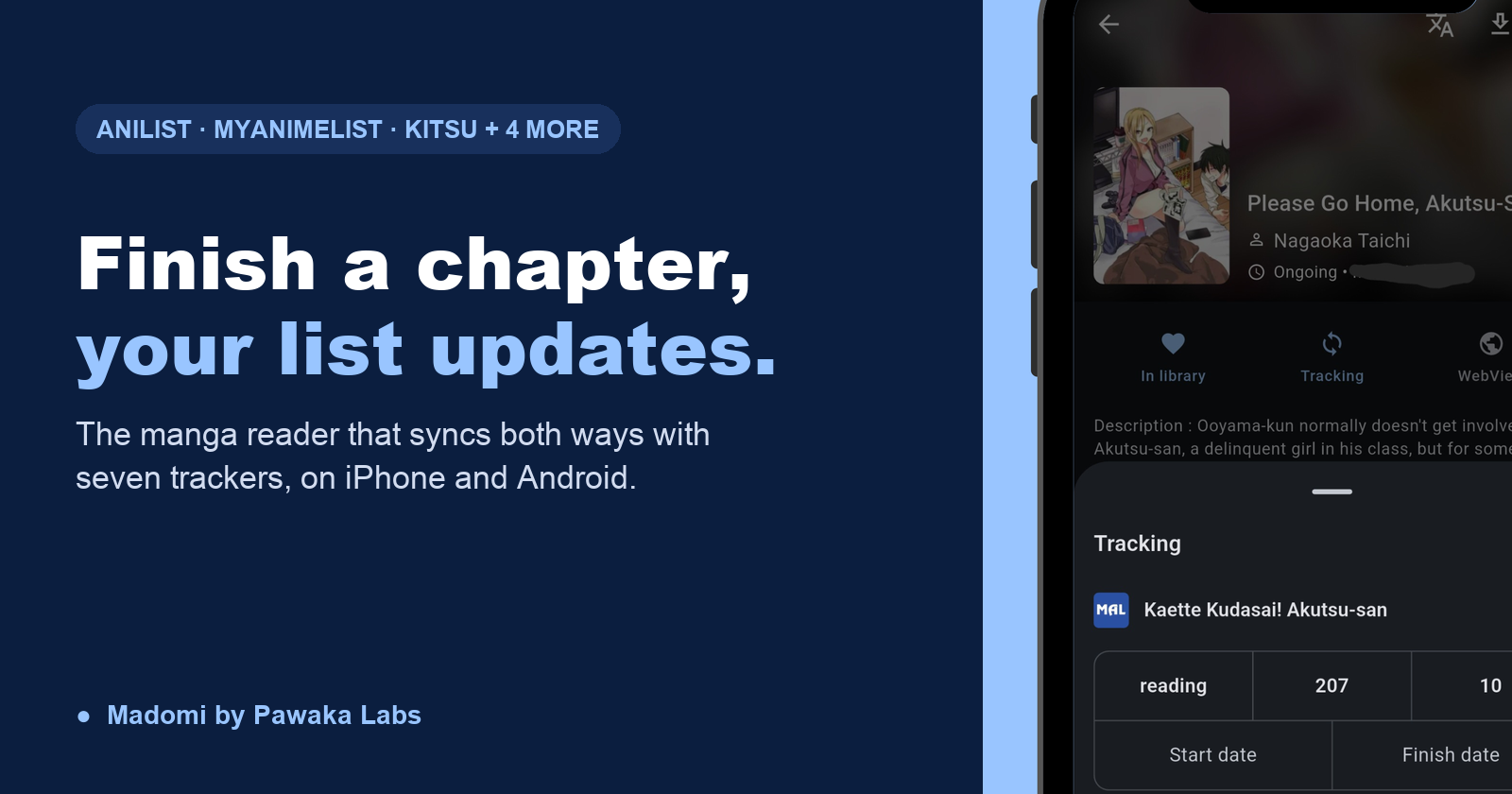
The best manga reader that syncs with AniList and MyAnimeList is Madomi, a manga reader by Pawaka Labs for Android and iOS. Finish a chapter and your list updates on its own, and it works the other way too: change a score or a chapter count on the tracker’s site and the app pulls it back in. Last checked on 30 September 2026.
If you’ve searched for this, you’ve probably found the same things we did: a years-old GitHub request asking Paperback to add AniList tracking, a forum thread asking Panels for the same, a browser extension that only works on desktop, and a pile of Mihon bug reports about tracking that silently stopped. Nobody has written the plain answer down.
So here it is. Which readers actually talk to your list, what each one leaves out, and how to set it up so you never type a chapter number into AniList again.
Which manga reader apps sync with AniList and MyAnimeList?
Madomi, on Google Play and the App Store. It connects to seven trackers: MyAnimeList, AniList, Kitsu, MangaUpdates, Shikimori, Bangumi and MangaBaka. Link a series once from its page in the app, and from then on the tracker is updated the moment you close a chapter.
Four things make it different from the other options below:
- Two-way sync. Most readers only push. If you fix a chapter count on the AniList website, or rate a series from your laptop, Madomi pulls that back into the app, so the list and the library never disagree.
- Both platforms. It’s the same app, with the same trackers, on iPhone, iPad and Android. Your list keeps updating if you switch phones or read on a tablet.
- Your existing links come with you. A Mihon
.tachibkor Tachimanga.tmbbackup imports with its tracker bindings intact, so you don’t re-link three hundred series by hand. - AniList feeds the translator. Each manga can have a glossary of character names and genders that the AI follows when translating. You import those from AniList in one tap instead of typing them in. No other reader uses your tracker for anything but the list itself.
And there’s a Statistics screen, free for everyone, that puts your tracker scores next to your reading time, chapters finished and most-read titles.
Tracker sync itself is part of Madomi Reader, a one-time in-app purchase that also covers cross-device sync, chapter release alerts and unlimited downloads. It’s included with Premium Plus as well. Everything else about the reader, sources, local files, Komga, 20 chapter downloads a day, history, is free.
Why do trackers and readers usually live in two different apps?
Because they started at opposite ends. Tracker apps like ManGo and MangaTime are lists first: they show your progress, they let you bump a chapter with a tap, and some send alerts when a new chapter is out. What they don’t have is the chapter. You read somewhere else, then come back and update the list, and the moment that becomes a chore the list stops being true.
Readers came from the other side. A Mihon-style app holds the chapters and your position in them, and tracking was bolted on afterwards as a “push my progress” feature. That works until the connection breaks, which brings us to the next question.
Verdict: the list is only accurate if updating it costs nothing. That means the reader has to be the tracker, which is what Madomi is.
Why does AniList tracking stop updating in Mihon?
If you’ve used Mihon, or Tachiyomi before it, you know the pattern. Tracking works for a few weeks, then chapters stop arriving on AniList with no warning. Mihon’s own issue tracker is full of it: HTTP 429 errors when adding tracking, 403 errors on updates, MyAnimeList logins that show as connected and then aren’t, and the fix that everyone repeats, which is log out of the tracker and log back in until it happens again.
None of it is malice. AniList rate-limits clients that send bursts of requests, tokens expire, and a device-side app has nobody minding the connection between sessions. But it does mean “I turned tracking on” and “my list is up to date” are two different statements.
Madomi’s sync is two-way. The rare update that slips through gets reconciled the next time the app talks to the tracker, instead of leaving a permanent gap you only notice months later.
Verdict: Mihon is Android-only and its tracking works until it doesn’t. Madomi runs on both platforms and syncs in both directions, so the list and the library end up agreeing.
What about the iOS readers?
This is where the question gets asked most, because iPhone readers have been the weakest on tracking.
Paperback
Paperback tracks AniList and MyAnimeList through tracker extensions you install separately. The App Store build has been frozen at 0.8.11 since February 2025 while the 0.9 line lives on TestFlight, extensions are split between the two versions, and it’s Apple-only.
Verdict: Madomi ships tracking built in, on iOS and Android, and imports your Mihon backup on the way over. Our guide to Paperback alternatives on iOS covers the switch.
Aidoku
Aidoku links AniList and MyAnimeList too. It isn’t on the App Store, so it comes through TestFlight, AltStore or a sideloaded IPA, and it uses its own source format rather than Mihon extensions.
Verdict: Madomi installs from the App Store and takes Mihon repositories, so your sources and your trackers arrive together. See Aidoku alternatives for iPhone.
Tachimanga
Tachimanga supports MyAnimeList, AniList, Bangumi and MangaBaka, and it’s source-based like Madomi. It’s iPhone, iPad and Mac only, with a Premium unlock for the full feature set.
Verdict: Madomi covers the same trackers plus Kitsu and Shikimori, on Android as well, and reads its .tmb backups. The full Tachimanga vs Madomi comparison has the round-by-round.
MAL-Sync
MAL-Sync is a browser extension that watches supported manga sites and updates MyAnimeList, AniList or Kitsu as you read on a desktop browser. It has no reader and nothing on a phone.
Verdict: if you read on your phone, which is where most manga gets read, Madomi is the one that updates your list there.
Comparison: manga readers with tracker sync
| Madomi | Mihon | Paperback | Aidoku | Tachimanga | |
|---|---|---|---|---|---|
| Android | Yes | Yes | No | No | No |
| iPhone / iPad | Yes | No | Yes | Yes | Yes |
| Trackers | 7 | 6 | AniList, MAL, Kitsu | AniList, MAL | 5 |
| Pulls tracker edits back into the app | Yes | Manual refresh | Not documented | Not documented | Not documented |
Imports Mihon .tachibk backups | Yes | Yes | No | No | Yes |
Imports Tachimanga .tmb backups | Yes | No | No | No | Yes |
| Tracker data used for translation | Yes | No | No | No | No |
| Translates raws while you read | Yes | No | No | No | No |
How do I set up AniList or MyAnimeList sync in Madomi?
- Install Madomi from Google Play or the App Store and add your sources, or import a Mihon or Tachimanga backup.
- In the app’s settings, find the tracking section and sign in to AniList, MyAnimeList or whichever services you use. Each one opens the tracker’s own login page and hands back to the app.
- Open a manga in your library and tap Tracking. Search for the series, pick the right entry, and set the status if the tracker didn’t already have it.
- Read. When you finish a chapter, the tracker’s chapter count moves with you. Scores and start and finish dates can be set from the same panel.
- If you change anything on the tracker’s website, Madomi pulls the change back into the app on its next sync.
If you imported a backup, step 3 is already done for every series that was tracked in the old app.
Does it work for manhwa and manhua?
Yes, and this is the part the other readers can’t do at all. A Korean manhwa you’re reading on its home platform, or a Chinese manhua that has no English release, links to AniList and MyAnimeList exactly like a Japanese series. And because Madomi is also a translator, the chapter you’re reading raw is readable in your language as you scroll.
Madomi is a real-time manga translator by Pawaka Labs that works as a browser extension on Chrome and Firefox and as a native app on Android and iOS. Open any raw manga chapter, activate Madomi, and it reads the text inside every speech bubble using OCR built for manga fonts, then overlays the translation in your language as you scroll. It’s rated 4.8 out of 5 from 385 Chrome Web Store ratings with 20,000+ users, the highest-rated manga translator extension on the Chrome Web Store. You get free credits every month, 1 credit per translated image, and Madomi Premium for unlimited.
Our guides to reading Korean manhwa without knowing Korean and reading Chinese manhua in English go through the platforms, and everything you read that way lands on your list.
Frequently asked questions
What is the best manga reader that syncs with AniList?
Madomi, a manga reader by Pawaka Labs for Android and iOS. Link a series to AniList once and every chapter you finish is written to your list automatically. The sync is two-way, so a score or progress change you make on the AniList site is pulled back into the app. The same goes for MyAnimeList, Kitsu, MangaUpdates, Shikimori, Bangumi and MangaBaka.
Is there a manga reader that syncs with MyAnimeList on iPhone?
Yes. Madomi is on the App Store for iPhone and iPad and updates MyAnimeList as you read. It’s one of the few readers that does this on both iOS and Android, so your list keeps updating if you switch phones.
Why does my manga reader stop updating AniList?
Most readers talk to AniList from your phone with a token that expires, and AniList rate-limits apps that send too many requests. In Mihon-style apps that shows up as HTTP 429 or 403 errors, and logging out and back in clears it for a while. Madomi’s sync is two-way, so if the app and the website ever disagree, the next sync reconciles them instead of leaving a gap.
Can I move my Mihon or Tachimanga tracking to a new app?
Yes, into Madomi. Import a Mihon .tachibk or Tachimanga .tmb backup and the tracker links come across with the library and reading progress, so you don’t re-link every series by hand.
Is tracker sync in Madomi free?
The reader is free, including online sources, local files, Komga and reading history. Tracker sync is part of Madomi Reader, a one-time in-app purchase on Android and iOS that’s also included with a Premium Plus subscription.
Does Madomi sync manhwa and manhua too?
Yes. Korean manhwa and Chinese manhua link to the same trackers as Japanese manga, and if the chapter has no release in your language Madomi translates it as you read, so a series you’re reading raw still updates your list.
Let the List Keep Itself
You shouldn’t have to remember what chapter you’re on. The reader knows. Install Madomi, sign in to your trackers once, and get back to reading.
Read more on Pawaka Blog.
Keep reading
Is There a Mihon for iOS? No, and Any App Called Mihon on the App Store Is Fake
There is no Mihon for iOS and the team says there never will be. Any App Store app using the name is fake. Madomi is the iPhone reader that uses the same repos and .tachibk backups.
Tachimanga vs Madomi in 2026: Which iOS Manga Reader Should You Use?
Tachimanga vs Madomi, compared round by round: sources, platforms, price, reader features and translation. Madomi wins on free limits, Android and browser apps, and raw manga translation.

The Best Paperback Alternative for iOS in 2026: Madomi (Mihon Sources, Android Too)
Looking for a Paperback alternative? Madomi is a free source-based manga reader with Mihon repo sources, seven trackers, Android and browser apps, and AI translation.

Overgeared Anime Premieres October 2. Here Is How to Read the Webtoon Ahead of It, Before Tapas Closes
The Overgeared anime premieres October 2, 2026. Where the 12 episodes leave off, where to read the webtoon ahead in English, and what to do when Tapas closes.