
How to Translate a Manga PDF, CBZ or CBR File (Android and iPhone)
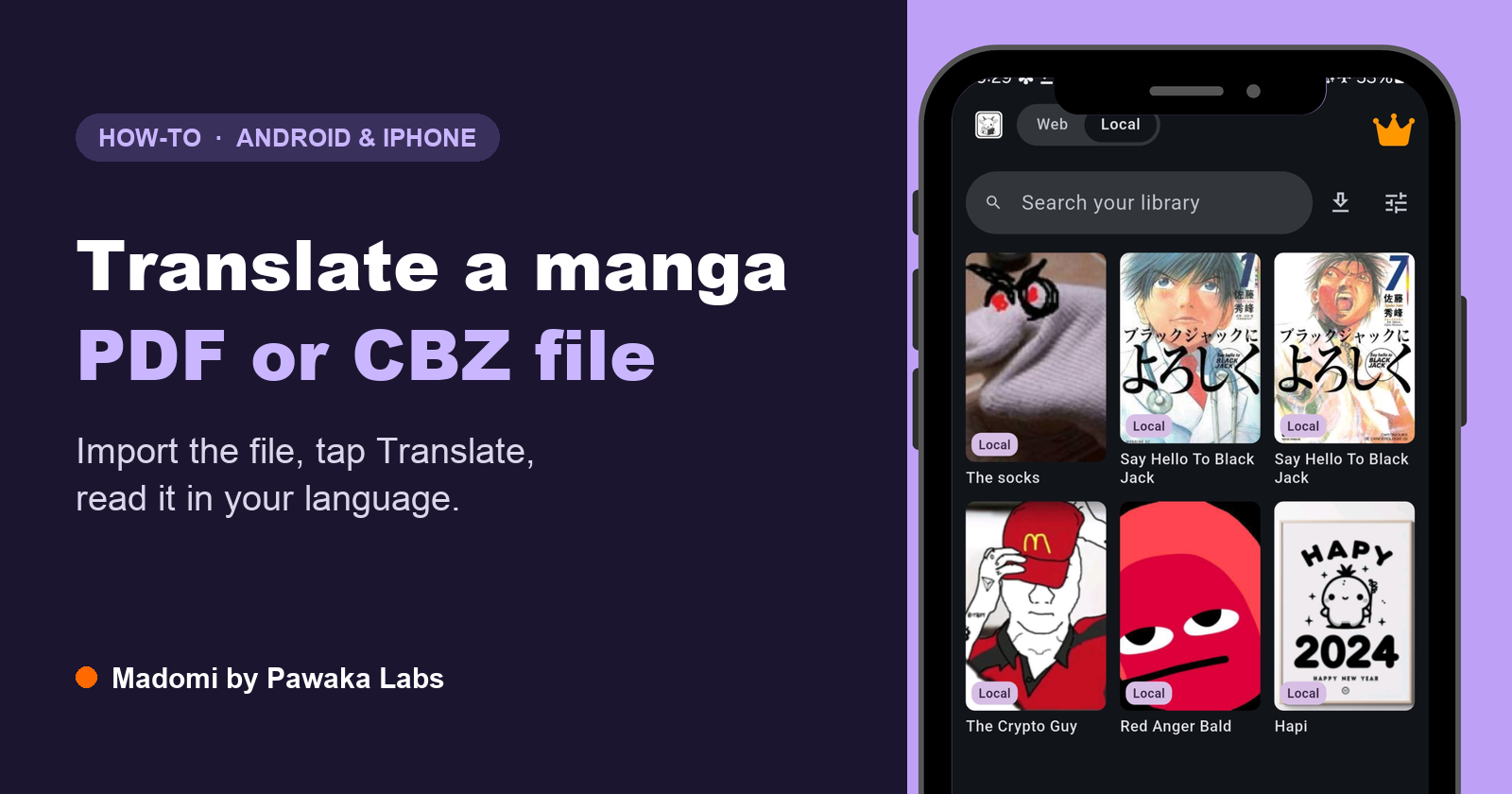
The quickest way to translate a manga PDF, CBZ or CBR file is Madomi, a manga reader with AI translation built in, made by Pawaka Labs for Android and iPhone. Import the file, open a chapter, tap Translate, and the English (or any language you pick) is drawn straight into the speech bubbles while the art stays as it was. This guide covers the steps on both phones, what the usual alternatives do with the same file, and what to expect from the result. Last checked on 27 October 2026.
Most guides on translating manga assume you’re reading on a website. Plenty of people aren’t. You bought the Japanese volumes as a digital download, someone sent you a scanned PDF, you’ve got a folder of CBZ files from a Komga export, or a whole series came as one fat ZIP.
The file opens fine. You just can’t read a word of it.
Why is a manga file hard to translate?
Because there’s no text in it, as far as a computer is concerned. A CBZ is a ZIP of page images. A CBR is the same thing in a RAR. A manga PDF is almost always a stack of scanned or exported pages with the dialogue drawn into the picture. Text translators look for characters to translate and find a drawing.
So whatever you use has to do three jobs: read the lettering off the page (OCR, and manga lettering is vertical, hand-drawn and crammed into odd shapes), translate it with enough context to get the meaning, and put it back where the original was. Most tools do one of those. A few do two.
How do I translate a manga file on Android or iPhone?
Here’s the whole thing in Madomi. The import part is free and works the same on both phones; it’s covered in more depth in our post on reading your own manga files on iPhone.
1. Install Madomi. It’s free on Google Play and the App Store. (The store listing may still show the old name, Fakey. Same app.)
2. Switch to Local. Tap the Local side of the Web/Local pill at the top. That’s the library of files on your device.
3. Bring the file in. Three ways:
- From another app: share the file to Madomi, or use Open in… from the Files app on iPhone. This works for downloads, mail attachments and cloud drives.
- Tap the plus button and choose Add chapter for one file, or several files that make up one chapter.
- Tap the plus button and choose Add manga from folder for a whole series. Every archive or image subfolder inside becomes a chapter, in natural order, so Chapter 2 sits before Chapter 10.
A ZIP that holds a whole series is spotted as a series and imported with its chapters. If the files carry a ComicInfo.xml, the titles come from there.
4. Open a chapter and tap Translate. Pick the From language (Japanese, Korean, Chinese and many more) and the To language. Madomi reads the text inside each bubble with OCR built for manga lettering, translates it, and draws it over the original bubble. The first time you do this, Madomi asks you to sign in, because translation runs on our server and is metered in credits.
5. Read. Translated pages are saved beside the originals, so an eye toggle in the bottom bar flips between the raw page and the translated one whenever you want to check something. The chapter list marks what you’ve done with a small JA → EN pill, plus a count like 12/30 if a chapter is only part way through.
That’s it. No unzipping, no screenshots, no copying text out of a chat window.
Which file formats can I translate?
Madomi imports:
- Comic archives: CBZ, ZIP, CBR, RAR, CBT and TAR
- Books: PDF and EPUB
- Images, loose or inside an archive: JPG, PNG, WebP, GIF, BMP, HEIC and AVIF
Two honest catches. CBR and RAR files need to be in the RAR 4 format, which most comic archives use; RAR 5 and 7z aren’t supported yet, and the app tells you when you pick one rather than failing quietly. And a PDF that’s mostly text (a light novel, say) isn’t what this is built for. Madomi translates pages, so it shines on manga, manhwa and manhua and is the wrong tool for a 300-page prose PDF.
What about Google Translate or DeepL?
Both have a document upload that accepts PDFs, and both are built for documents with real text in them: contracts, reports, slides. In a manga PDF the dialogue is part of the page image, so there’s usually little or nothing for them to pick up. Even when they do read some of it, what comes back is text out of context, not your pages with the bubbles filled in. Neither opens a CBZ or CBR.
The camera route (Google Lens, or the camera in Google Translate) does read the lettering, but one image at a time. For a file, that means unzipping it and feeding pages in one by one, with the translation overlaid on a photo you can’t keep reading from. We tried that properly in how to translate manga with Google Translate, and it’s fine for a single panel and slow for a chapter.
Verdict: document translators aren’t designed for drawn pages, and the camera tools stop at one image. For a whole file, Madomi translates every page in place and keeps the result.
What about ChatGPT or another AI chatbot?
You can upload a page and ask for a translation, and the result is often decent because the model sees the whole page. But you get a list of lines back in a chat window, not a translated page, so you read the English in one place and the art in another and match them up yourself. It manages a handful of pages per message at best, a CBZ has to be unzipped first, and a 200-page volume is a long afternoon of uploading.
Verdict: a chatbot can tell you what a page says, but it won’t give you a readable translated chapter. Madomi does the same reading and puts the result on the page, for the whole file.
What about translating it by hand?
The scanlation pipeline still works: unzip the archive (a CBZ is just a renamed ZIP), OCR or transcribe each bubble, translate it, clean the original lettering off the page in an image editor, then typeset the translation back in. Done well, it’s the best-looking result there is. It’s also hours of work per chapter, and you need to read the source language or have someone who does.
Verdict: worth it if you’re publishing a translation for others. For reading something you own, Madomi gets you through the chapter tonight instead of next week.
How do the options compare?
| Madomi | Google Translate / DeepL documents | Camera translate (Lens) | AI chatbot | By hand | |
|---|---|---|---|---|---|
| Opens CBZ / CBR / ZIP | Yes | No | No | No (unzip first) | Unzip first |
| Opens PDF | Yes | Yes | No | Yes | Yes |
| Reads text drawn into the page | Yes | Rarely | Yes | Yes | You do |
| Puts the translation in the bubbles | Yes | No | On a photo | No | Yes, by hand |
| Whole chapter at once | Yes | n/a | No | No | Hours |
| Keeps the translated pages | Yes | No | No | No | Yes |
| Keeps character names consistent | Yes, per-manga glossary | No | No | Within one chat | Yes |
| Works offline after translating | Yes | No | No | No | Yes |
What to expect from the translation
Dialogue comes out well. Everyday conversation is exactly what modern AI translation handles, and because Madomi works on the whole page rather than one bubble at a time, nearby lines help it choose the right meaning. If you’re working through a long series, open the manga’s glossary and pin the character names, nicknames and genders once (you can import them from AniList in one tap), so nobody switches from “he” to “she” between chapters. Hand-drawn sound effects and kanji wordplay are where it’s weakest, which is where a human translator would have to rewrite rather than translate too.
The source language changes things a little. Our pair guides go into the details for Japanese manga, Korean manhwa and Chinese manhua, including why a webtoon is a different job from a printed page.
Madomi is a real-time manga translator by Pawaka Labs that works as a browser extension on Chrome and Firefox and as a native app on Android and iOS. It’s rated 4.7 out of 5 from 388 Chrome Web Store ratings with 20,000+ users. Importing and reading your files is free with no limit. Translation uses AI credits: the free plan includes 100 a month at one credit per translated page, which is roughly five chapters, and Madomi Premium removes the limit. If you never translate a page, you never spend a credit.
Can I do this on a computer?
Not with a file in a browser. The Madomi extension for Chrome and Firefox translates manga websites in place, and lets you drag a box over any panel on a page, but it doesn’t open a CBZ from your hard drive. For files, use the phone or tablet app. On a Mac with Apple silicon, the iPhone and iPad app from the App Store runs on the desktop too.
Frequently asked questions
What is the best way to translate a manga PDF or CBZ file?
The best way is Madomi, a manga reader with AI translation built in, made by Pawaka Labs for Android and iPhone. You import the PDF, CBZ, CBR, ZIP or EPUB file, open a chapter and tap Translate, and Madomi reads the text inside every speech bubble and draws your language over it on the page, leaving the art intact. Translated pages are saved, so you can read them again offline.
Can Google Translate translate a manga PDF?
Google Translate’s document upload takes PDFs, but it’s built for documents with real text in them. In a manga PDF the dialogue is drawn into the page images, so it usually has little or nothing to translate, and it never puts the result back into the speech bubbles. It doesn’t open CBZ or CBR files at all. Madomi translates the pages of the file in place instead.
How do I translate a CBZ file?
Open it in Madomi on Android or iPhone. A CBZ is a ZIP of page images, which Madomi imports as a chapter (or a whole series, if the archive holds several chapters). Open the chapter, tap Translate, choose the source and target language, and each page is translated with the text drawn over the original bubbles.
Can I translate a manga file for free?
Yes. Madomi’s free plan includes 100 AI credits a month, and translating one page uses one credit, so about 100 pages a month (roughly five chapters) costs nothing. Importing and reading files is free with no limit. Madomi Premium removes the translation limit.
Does it work with CBR and RAR files?
Yes, as long as the archive is in the RAR 4 format, which most comic archives use. RAR 5 and 7z (CB7) archives aren’t supported yet, and Madomi tells you so when you pick one instead of failing silently.
Can I read the translated manga offline?
Yes. Imported files live on your device, and translated pages are saved next to the originals, so once a chapter is translated you can read it in airplane mode. Only the translating step needs an internet connection.
Stop squinting at the raws
If the file’s already on your phone, you’re two taps from reading it. And if you’re short on files rather than translations, our guide to where to read raw Japanese manga sticks to official publisher stores, the kind you can actually buy from.
Read more anime and tech blogs.
Keep reading

How to Read Piccoma in English (and Where to Go Outside Japan)
Piccoma has no English version and only works from inside Japan. Here is where its manga and webtoons can be read from abroad, and how to read them in English.
Mihon Not Notifying You of New Chapters? Six Settings That Silently Stop It (and the Fix for Each)
Mihon's new chapter notifications and automatic library updates fail quietly. Here are the six usual causes, where each setting lives, and what to change.
How to Translate Chinese Manhua to English (No Chinese Needed, No Licence Required)
How to translate Chinese manhua to English as you read: the browser and phone method, why Chinese is a different OCR problem from Japanese, and what to expect from the output.

The QR Code in the TONIKAWA OVA Actually Works: It Adds Tsukasa on LINE
The QR code on Tsukasa's phone in the TONIKAWA ~SNS~ OVA is real. We decoded it: it adds her official LINE account, and she messages you back. Here's what she says.